> ## Documentation Index
> Fetch the complete documentation index at: https://help.hostingraja.in/llms.txt
> Use this file to discover all available pages before exploring further.
# How to create a site on hostingraja.in Managed WordPress
> Learn how to create your first site on hostingraja.in Managed WordPress.
Creating a WordPress site on hostingraja.in Managed WordPress is quick and easy. To get started, follow these steps:
1. Log in to the Hosting Panel at [https://clients.hostingraja.in/](https://clients.hostingraja.in/)
2. In the left sidebar, click Managed WordPress:

3. On the My Websites page, click Add Website:

4. On the Add a Website page, in the Site name/label text box, type your WordPress site’s name:
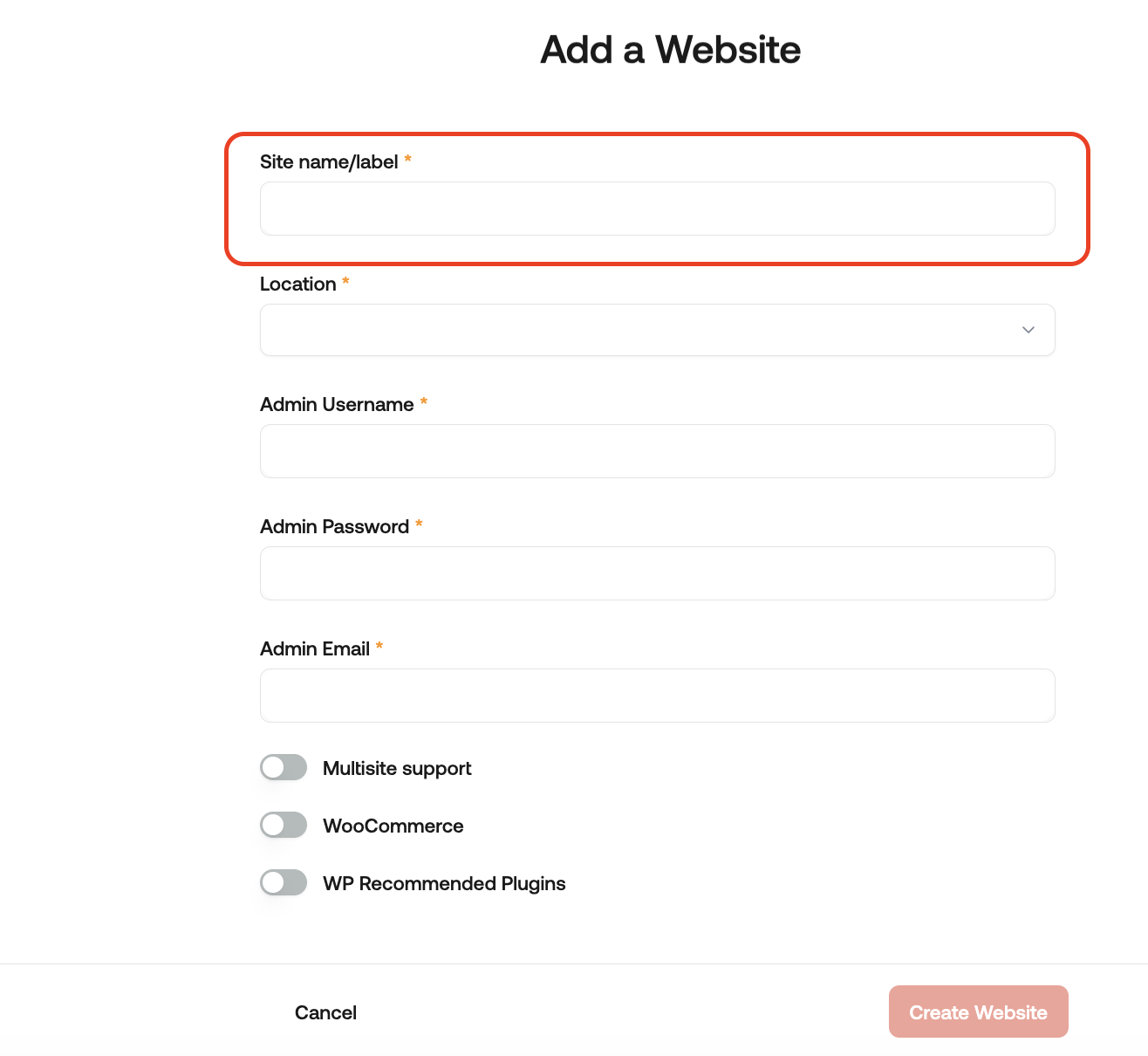
5. In the Location list box, select the location for your WordPress site.
This selection doesn't impact your visitors, because they will be using Cloudflare Enterprise. Instead, it should be a location geographically close to you, because your work in the WordPress Dashboard is not cached.
6. In the Admin Username text box, type the admin username you want to use.
You will use this username to log in to your WordPress installation. You can add additional users later on. For greater security, we recommend using a name besides admin.
7. In the Admin Password text box, type a complex password for the admin user.
Never reuse old passwords.
8. In the Admin Email text box, type your admin email address to receive important WordPress emails.
9. Enable any additional options for your site, and then click Create Website.
For information about how to manage your new site, go to How to manage your site on hostingraja.in Managed WordPress.