> ## Documentation Index
> Fetch the complete documentation index at: https://help.hostingraja.in/llms.txt
> Use this file to discover all available pages before exploring further.
# How to manually generate and download a full cloud backup on hostingraja.in Managed WordPress
> Learn how to manually generate and download a full cloud backup on hostingraja.in Managed WordPress.
To manually create a full backup of your hostingraja.in Managed WordPress website, follow these steps:
1. Log in to the Hosting Panel at [https://clients.hostingraja.in/](https://clients.hostingraja.in/).
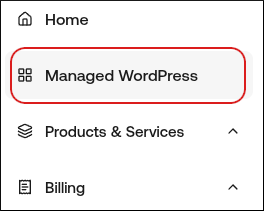
2. In the left sidebar, click Managed WordPress:
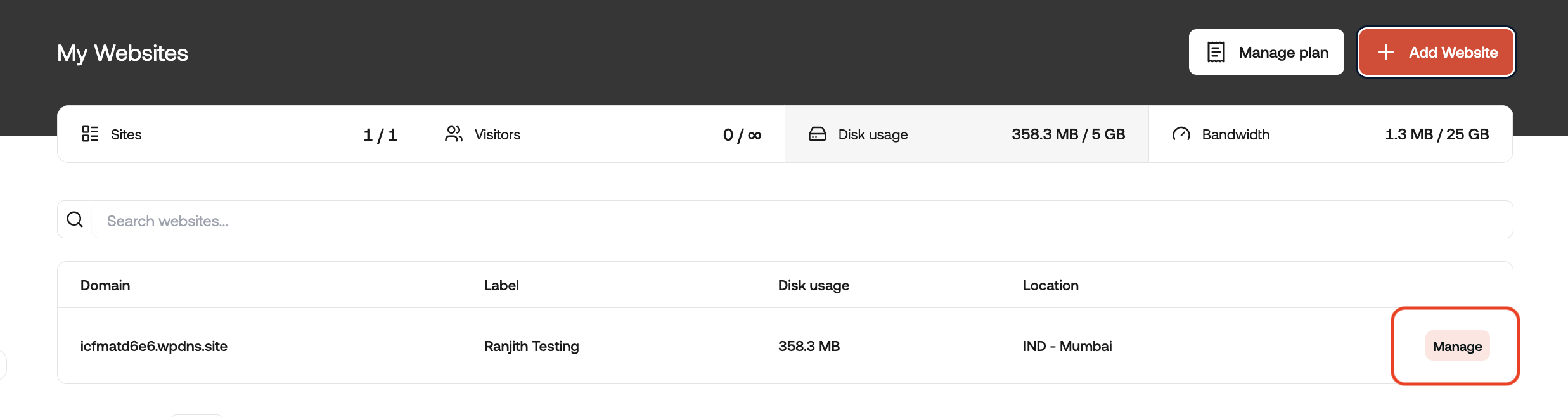
3. On the My Websites page, locate the site, and then click Manage:
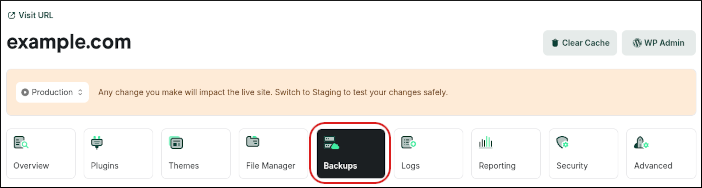
4. On the hostingraja.in dashboard, click the Backups icon:
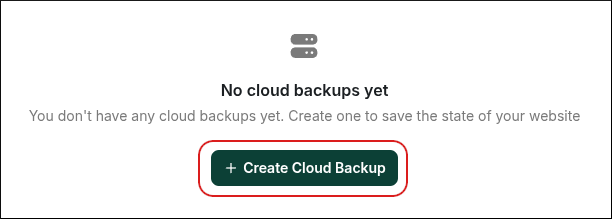
5. In the Cloud Backups section, click Create Cloud Backup:
6. You can choose to Backup Files or Backup Database, and you can choose to exclude specific paths if desired.
7. For a full backup, choose a name for the backup, enable the Files and Database options, and then click Confirm.
* Depending on the size of your website's content and database, this process may only take a few moments. You can either visit this page later or wait a few moments and then refresh the page.
* When your backup is ready, you'll find it listed here with several options. You can download it to your computer for safekeeping, restore a backup if needed, or delete backups.
* Please note that all sites can have up to three manual Cloud Backups at a time, and all Cloud Backups are automatically removed after 24 hours. They do not count toward your storage limits.