

- Log in to the Hosting Panel at https://clients.hostingraja.in/
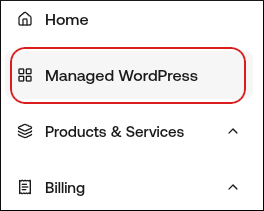
- In the left sidebar, click Managed WordPress:
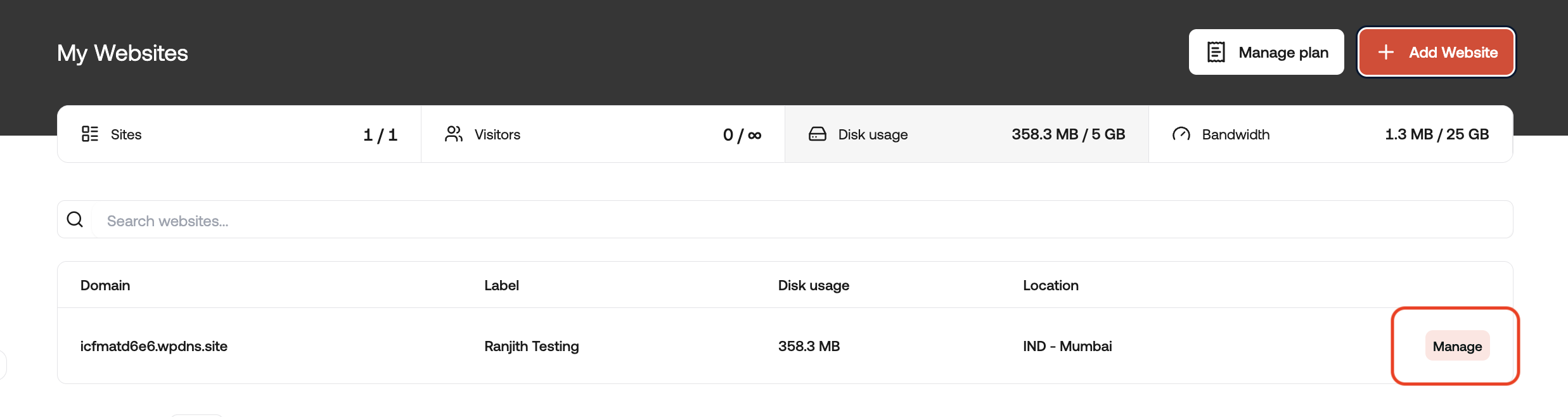
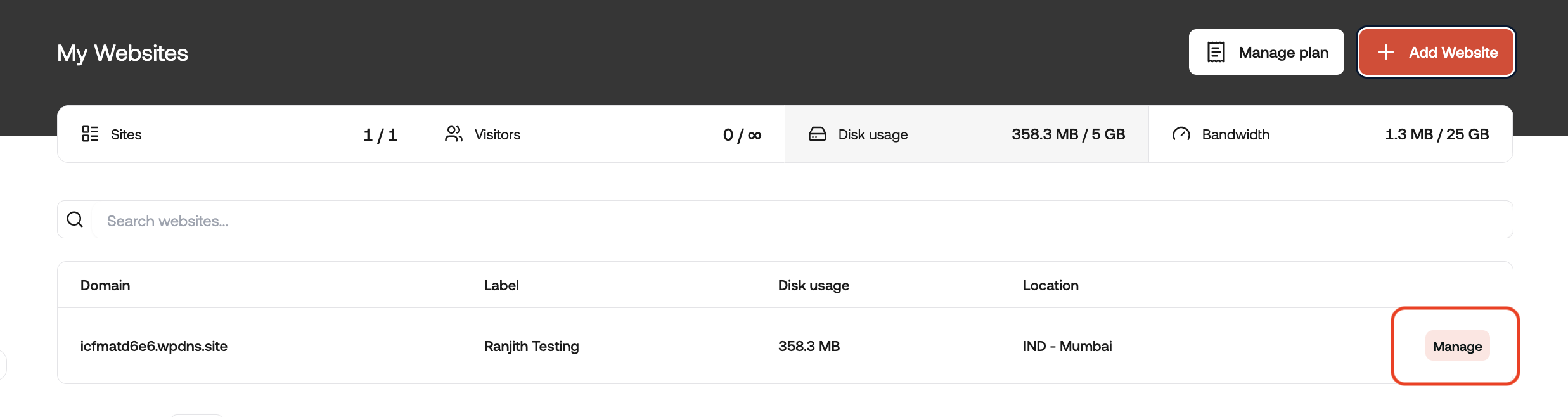
- On the My Websites page, locate the site, and then click Manage:
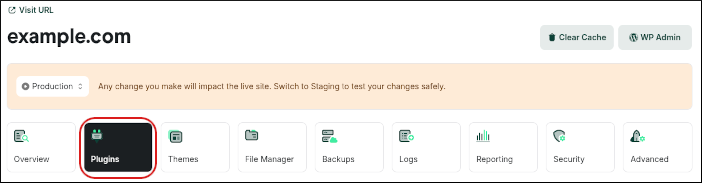
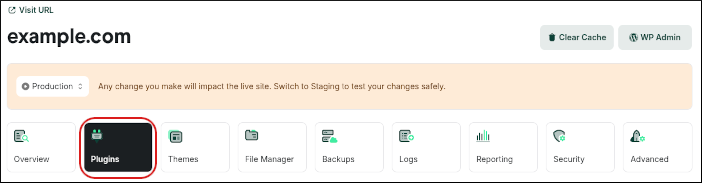
- On the hostingraja.in dashboard, click the Plugins icon:
- Click the Discover Plugins tab:

- In the Search Plugins text box, type the name or functionality of the plugin you want to install.
- In the search results, locate the plugin you want to install, and then click Install. The plugin now appears on the Installed Plugins tab.
- Log in to the Hosting Panel at https://clients.hostingraja.in/
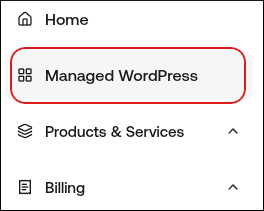
- In the left sidebar, click Managed WordPress:
- On the My Websites page, locate the site, and then click Manage:
- On the hostingraja.in dashboard, click the Plugins icon:
- On the Installed Plugins tab appears a list of your installed plugins. Choose one of the following actions:
- To deactivate an active plugin, in the Actions column, click the three-dot icon, and then click Deactivate.
- To activate a deactivated plugin, in the Actions column, click the three-dot icon, and then click Activate.
- To update a plugin, in the Actions column, click the three-dot icon, and then click Update.
- To delete a plugin, in the Actions column, click the three-dot icon, and then click Delete.